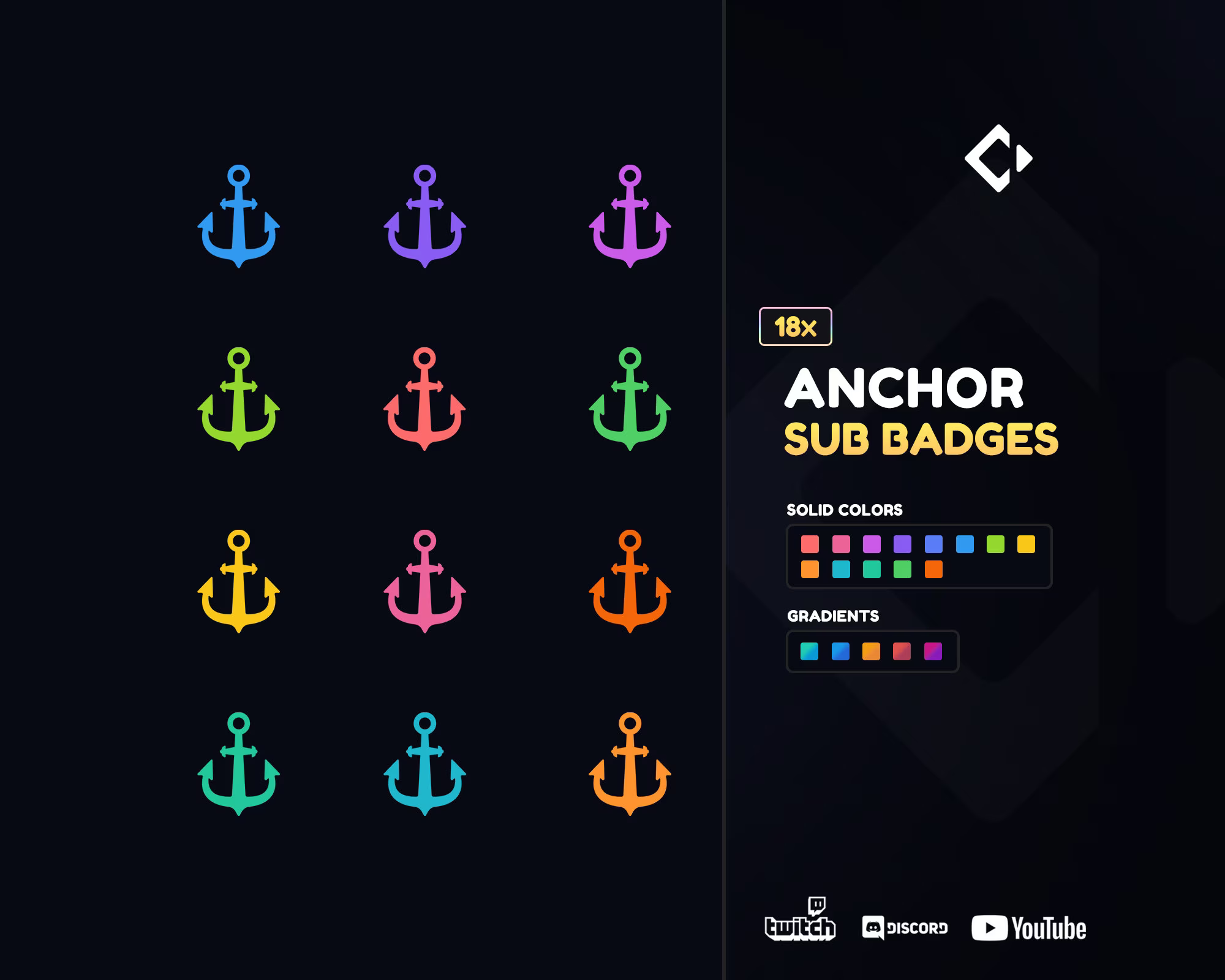
Anchor Sub Badges
Give your Twitch or Kick channel a bold and steady new look with Anchor Sub Badges a nautical-themed badge set inspired by the strength and stability of the open sea. Designed for streamers who love adventure, travel, or maritime aesthetics, these badges bring a clean, elegant style that instantly enhances your community’s appearance.
Each badge features a unique anchor design with metallic finishes and color variations across subscription tiers, symbolizing loyalty and growth. Whether your channel is focused on gaming, chatting, or creative content, these Twitch Sub Badges will make your subscribers feel part of your crew.
What is included in Anchor Sub Badges
The Anchor Sub Badges pack comes with everything you need to refresh your stream visuals in minutes. Every badge is professionally designed and optimized for small-scale clarity across multiple platforms.
Here’s what’s included:
-
A full set of anchor-themed badges for different subscriber tiers.
-
Transparent PNG files in 5 standard Twitch sizes: 112×112, 72×72, 36×36, 28×28, and 18×18 pixels.
-
A clean, balanced design that stays clear and sharp even at the smallest resolution.
-
Ready-to-upload files organized in an easy-to-navigate folder structure.
Each badge is drawn with attention to metallic texture, shading, and proportions, ensuring perfect visibility in chat while maintaining a high-quality, professional look.
How to use sub badges on Twitch or Kick Platform
Adding your Anchor Sub Badges to Twitch or Kick is simple and quick:
For Twitch:
-
Open your Creator Dashboard.
-
Go to Viewer Rewards → Subscriber Badges.
-
Upload your PNG badges for each tier (1-month, 3-month, 6-month, etc.).
-
Save your changes – your new badges will appear instantly.
For Kick:
-
Go to your Channel Settings.
-
Open the Subscriptions / Badges section.
-
Upload each badge file to its proper tier.
-
Save and refresh your channel to see them live.
Within moments, your chat will transform into a stylish, unified community space with a maritime twist.
Full compatibility with Discord
Your Anchor Sub Badges also work seamlessly on Discord. You can use them as role icons, community rank symbols, or member rewards. The transparent backgrounds and clean edges ensure that each badge remains sharp and detailed on any device – desktop or mobile.
Perfect for keeping your branding consistent across platforms.
Anchor Sub Badges are designed for clarity at small sizes
Each Anchor Sub Badge has been carefully optimized to stay crisp and readable even at 18×18 pixels. With simplified details, bold outlines, and refined contrast, your badges remain recognizable no matter where they appear in chat.
Subscribers can proudly show their loyalty, and new viewers will immediately notice your channel’s professional look.
Anchor Subscriber Badges are delivered in multiple sizes with transparent PNGs
Each badge comes in five standard Twitch sizes:
-
112×112 px
-
72×72 px
-
36×36 px
-
28×28 px
-
18×18 px
All files are transparent PNGs, perfectly formatted for Twitch, Kick, YouTube, and Discord. There’s no need to resize or edit — simply upload and enjoy a perfectly polished look.
Anchor Sub Badges for commercial use
When you purchase Anchor Sub Badges, you receive full commercial usage rights. You can use these badges freely across your Twitch, Kick, Discord, or YouTube platforms, as well as in promotional graphics, overlays, or merchandise.
No extra licenses or credit required – just full creative freedom to build your brand.
Instant digital download
Once you complete your purchase, you’ll receive instant access to your Anchor Sub Badges. Download your files directly from the confirmation page or the email link provided – no waiting, no delays.
You can refresh your stream visuals and reward your subscribers within minutes.